Singing Stairs
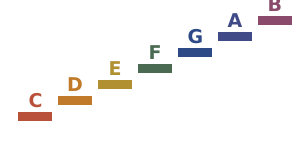
An ear-training app for five to eight year olds. Pitch is height, so the room is built that way: a staircase of letters climbs a night sky from low C to high C, and every letter sings its true note in a real piano recording. Fourteen games, no score, no timer and no wrong answers.
Support and contact for the iPhone app
The idea
The letters are the characters. Tap one and it sings its note and says so. Behind the curtain at the top of the stairs lives the mystery singer, who plays a note and waits to be found — and hunting for it by tapping other letters is the game, because that comparison is the thing that trains an ear.
Two games listen instead. In Sing together the child's own voice becomes a star riding the staircase in real time, with no rounds and no goals at all. In Sing it back the mystery singer plays a note and she sings it back.
The fourteen games
They sit on four shelves on the pick-a-game screen.
- The playground — eight pieces of equipment, each carrying one musical idea: the slide is a falling interval, the swing is pitch as height, the ladder is the scale in order.
- Song time — play sixteen songs by tapping the glowing letter, lyrics highlighted syllable by syllable.
- Make a tune — write a song on a grid of notes and hear it played back, forwards or backwards.
- Sing together — a mirror for the voice, in real time.
- Sing it back — hear a note, sing it back.
- The mystery singer — find the note behind the curtain.
- Higher or lower — two stages sing; pick the one the round asks for.
- Up or down — hear a short tune and pick the shape it made: up, down, the same, a hill or a valley.
- Happy or sad — major and minor chords, named and compared.
- How many singers — one, two or three notes at once.
- Echo clouds — sound memory, in pairs, matched by ear.
- The band — piano, violin, flute or harp: find who played.
- Drum talk — long and short beats, written as ta and ti-ti the way school music classes do.
- Goodnight, stairs — a soft lullaby while the letters fall asleep one by one.
The sound
Every note is a real piano, not a synthesized tone: the Salamander Grand Piano by Alexander Holm, a sampled Yamaha C5 used under the CC BY 3.0 license, at standard tuning, A = 440 Hz, across three octaves. The violin, flute and harp come from VSCO-2 Community Edition, which is public domain. The drum in Drum talk is synthesized by the app itself. All of it is bundled in the app, so everything works with no connection at all.
What it does not do
No accounts, no sign-in, no advertising, no analytics, no in-app purchases, no links out of the app and no network connection of any kind. It collects nothing. The full statement is on the privacy page.
Getting help
Write to josh.greenman@gmail.com. Say which iPhone and which iOS version, and which game the trouble is in. Every message is read by the person who wrote the app.
If it cannot hear the singing
Sing together and Sing it back need the microphone. Check Settings, then Singing Stairs, and make sure Microphone is on. Both games work best a foot or two from the phone, in a room without a television going.
The grown-ups corner
Press and hold the Grown-ups button in the bottom right for about a second, then answer the grown-up question (a multiplication, written out in words). That is where sharps and flats turn on, letter names switch to solfege, the octave and instrument can be set, individual letters can be put to sleep to make the games smaller for a younger player, and everything can be started over. It also lists what each game teaches.
Choosing an octave
Low, middle and high sit on the pick-a-game screen, with a stair glyph and an audible preview, because the right octave is the one that matches the child's own voice. The listening games judge the letter, not the octave: singing the right letter in any voice counts.
Requirements
iPhone, iOS 17 or later. Works fully offline. Nothing to set up.
This app was built with AI assistance. The piano and orchestral samples are licensed as described above; the songbook is public domain by rule.
Singing Stairs · Josh Greenman · josh.greenman@gmail.com · Privacy policy